Take the stress out of scheduling.
Generate a draft in seconds.
ShiftMaker automatically builds a draft shift schedule based on staff time-off requests, required headcount, and working conditions.
No AI. No internet. No monthly fees. One-time purchase. Try it free for 30 days.
Free Trial
Creation Time
One-Time Buy
Required
iPhone Ready
Operation
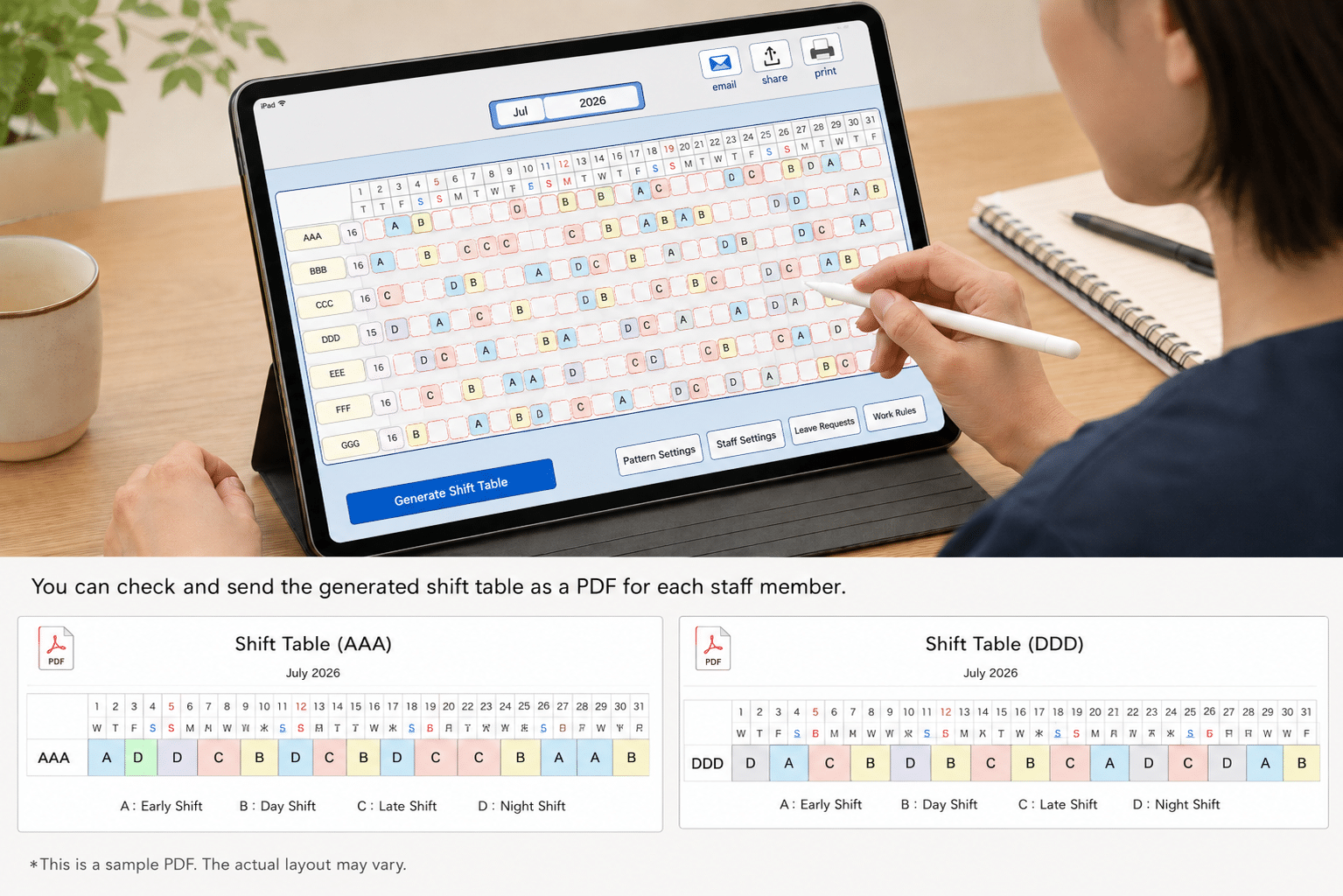
Do any of these sound familiar?
These are common concerns we hear from care facility and group home managers.
Key Features of ShiftMaker
⚡ Draft in Seconds
Instantly generates a monthly shift draft based on working conditions, time-off requests, and required headcount.
🛠 Manual Adjustments Supported
After auto-generation, tap any cell to make changes. Final decisions always stay with the manager.
📱 Designed for iPad
View and manage your entire schedule on a large screen. iPhone also supported.
🔒 No Internet. No AI.
No internet connection required. No AI involved. Your facility’s data never leaves the device.
📲 Runs on FileMaker Go
Simply install FileMaker Go from the App Store and you’re ready to go.
📄 PDF Distribution Ready
Generate individual staff PDFs, send by email, share via iOS, or print directly from the app.
Try It Free for 30 Days.
Test it with your real workplace conditions — just like the full version.
Before purchasing, you can try ShiftMaker free for 30 days. Enter your actual facility’s data — staff, shift patterns, time-off requests — and use it exactly as you would in production.
No internet connection or AI required. Just install FileMaker Go on your iPad and it works immediately.
Evaluate it during the trial period, and only purchase the full version if you’re satisfied.
Free TrialLoad into FileMaker Go
with Real DataUse it just like the full version for 30 days
If You’re HappyNo monthly fees · US$99
Regular List Price US$149
One-time purchase · No monthly fees
No ongoing subscription costs — making it affordable even for small care facilities.
🎁 30-Day Free Trial
🚫 No AI
🔒 No Internet
📱 iPad Optimized
💰 Zero Monthly Fees
How ShiftMaker Works — Screen by Screen
From setup to scheduling, editing, and PDF distribution — all managed on your iPad.
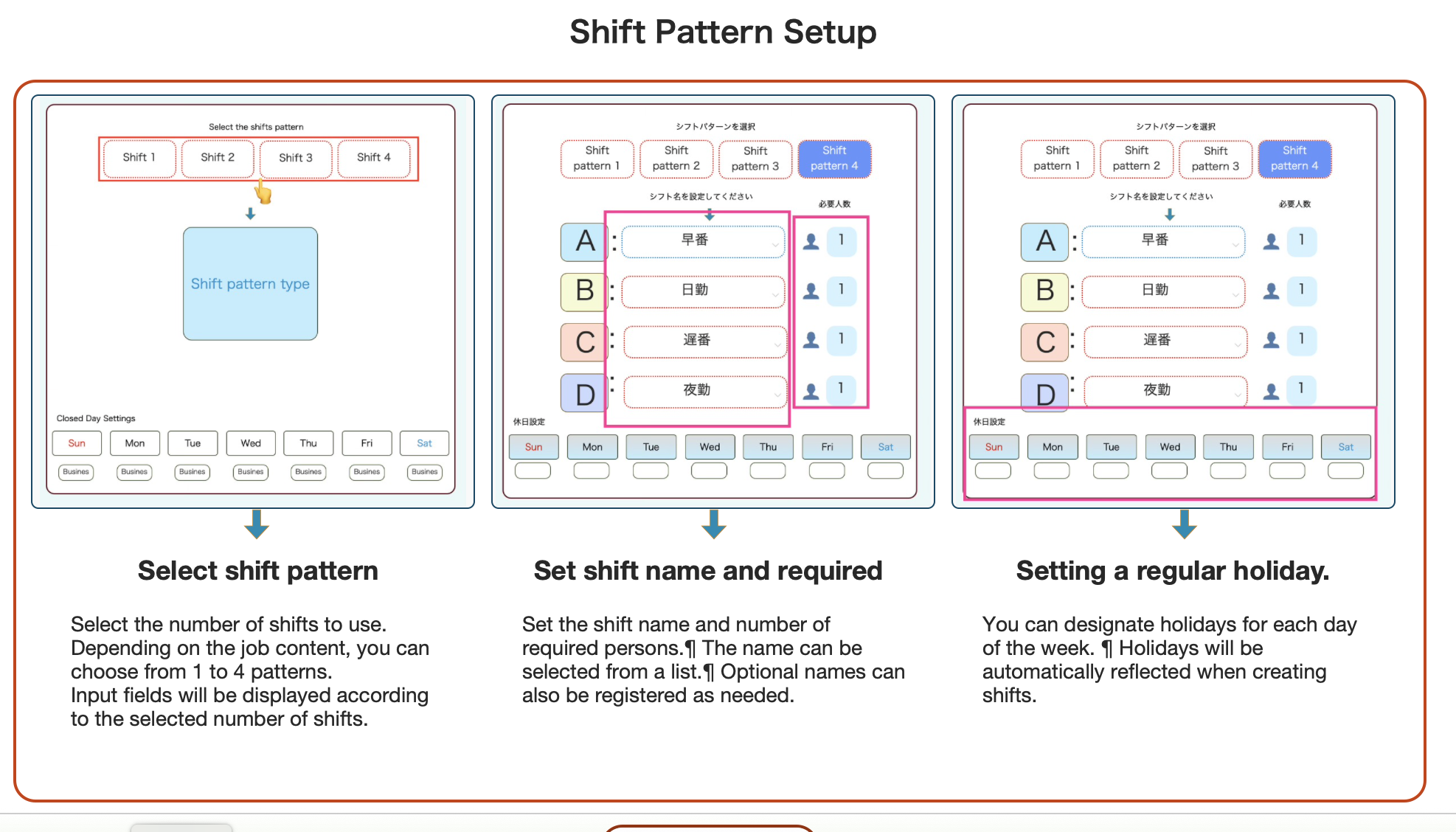
Set Shift Patterns
Define your shift names (e.g. A/B/C/D), the required headcount for each, and any fixed days off.
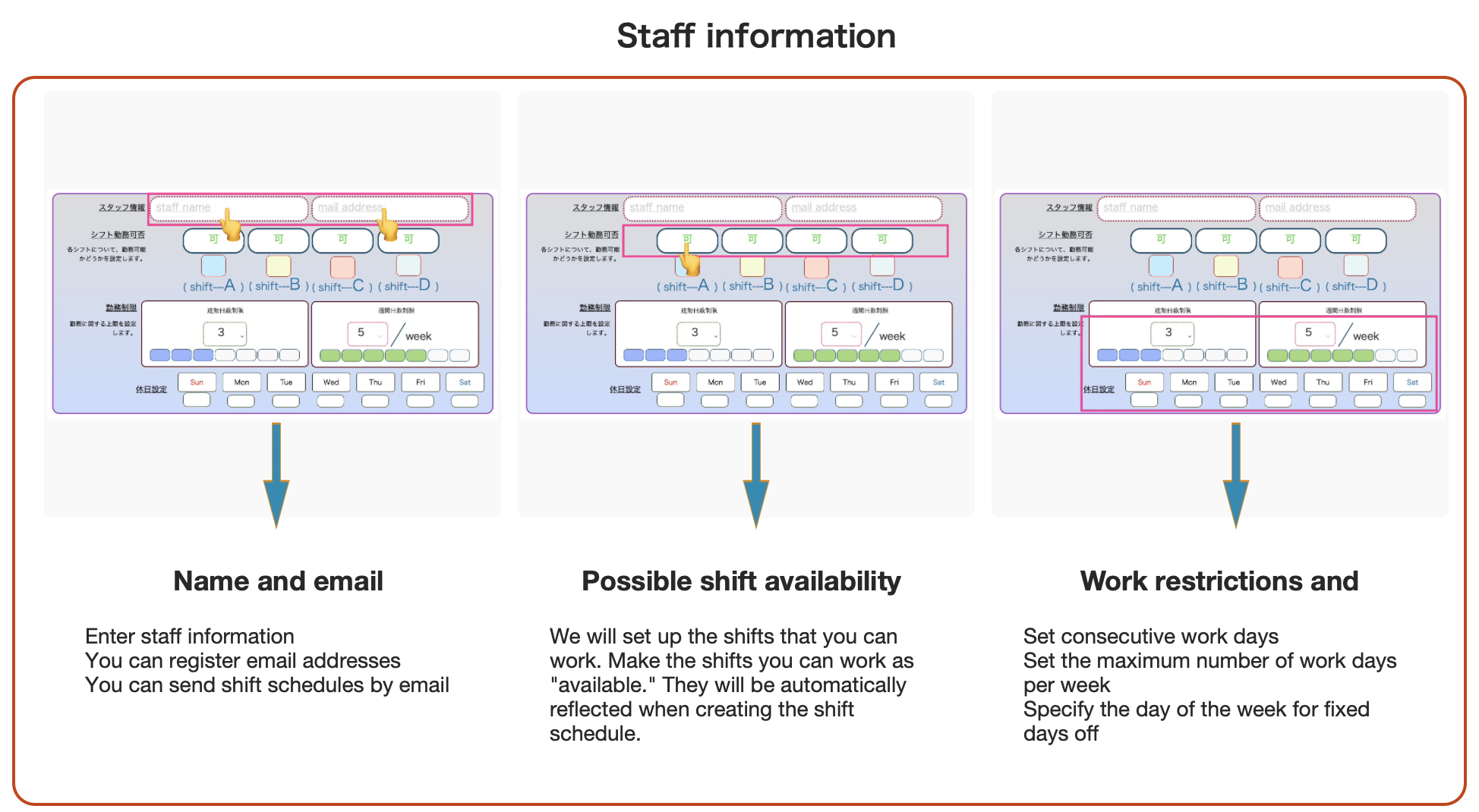
Register Staff Information
Enter each staff member’s name, email, eligible shifts, maximum consecutive workdays, and weekly work-day limit.
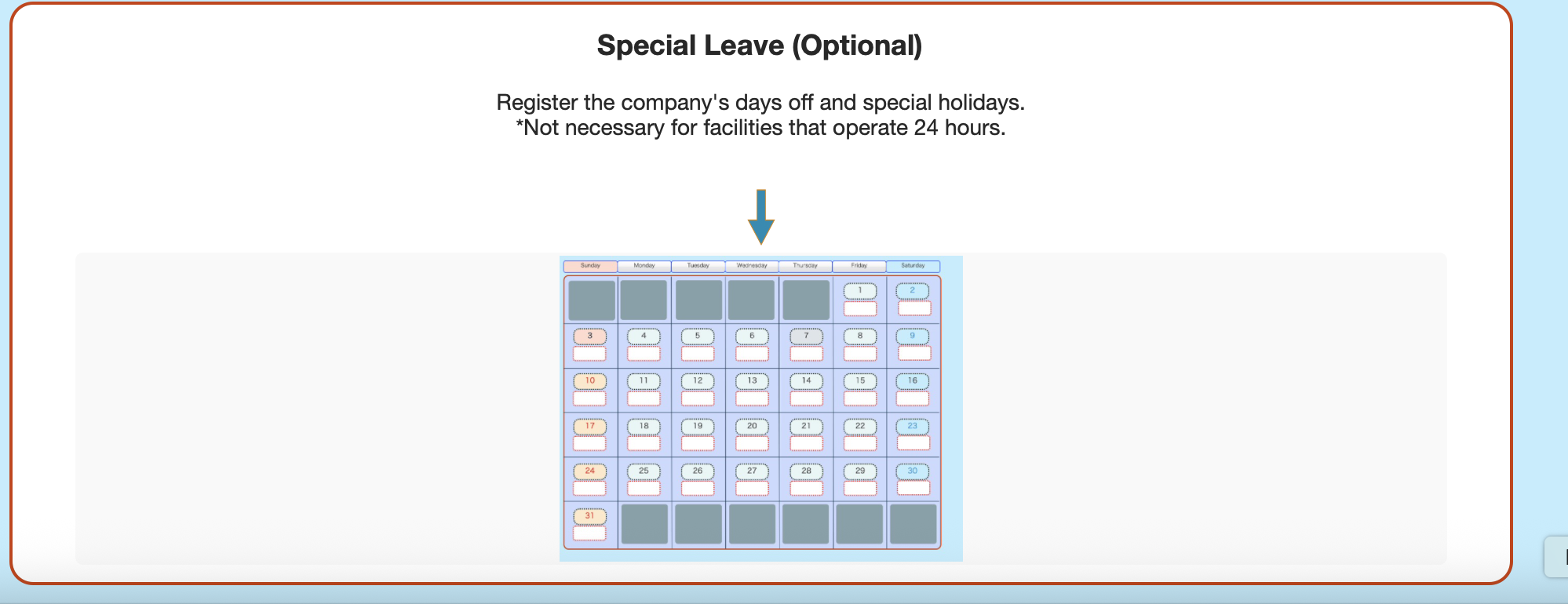
Add Special Holidays
Register company closures or special holidays. This step can be skipped for 24-hour facilities.
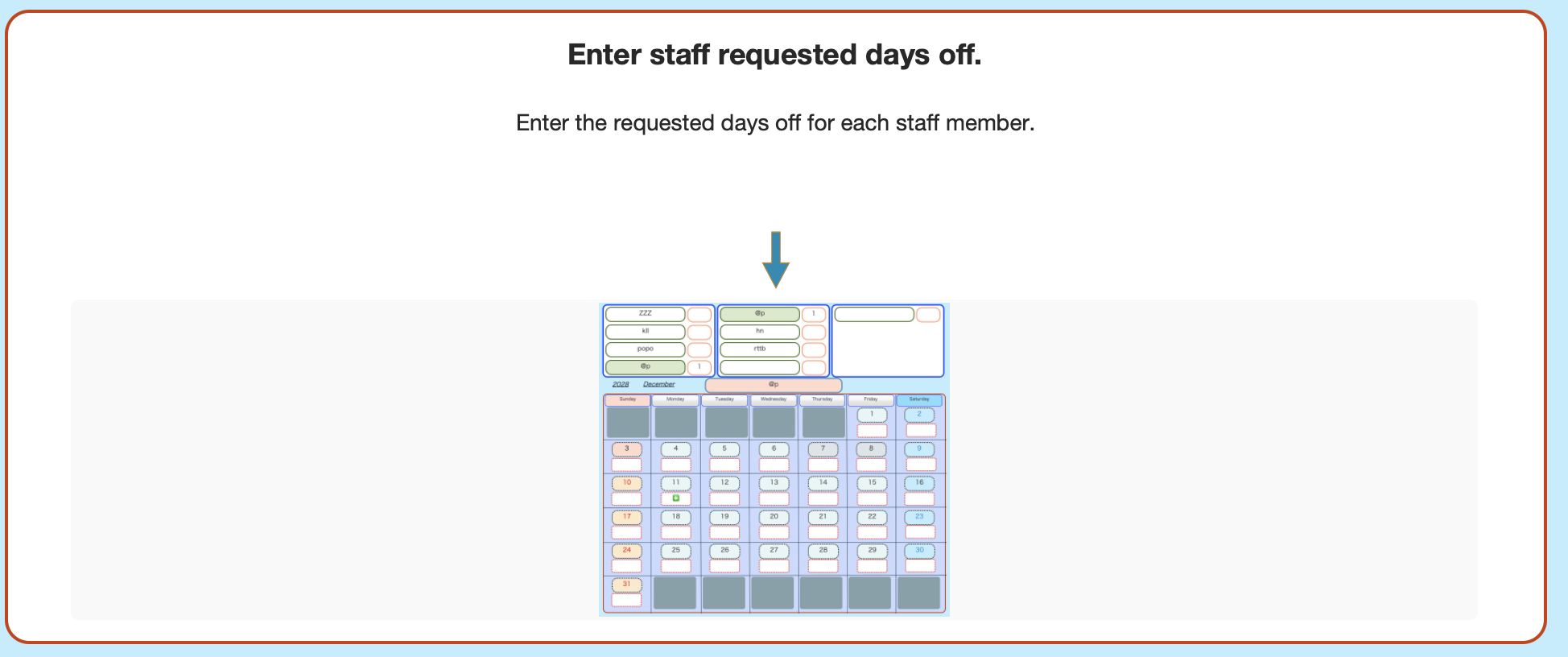
Enter Requested Days Off
Log each staff member’s requested days off via a calendar view. These are automatically reflected in the generated schedule.
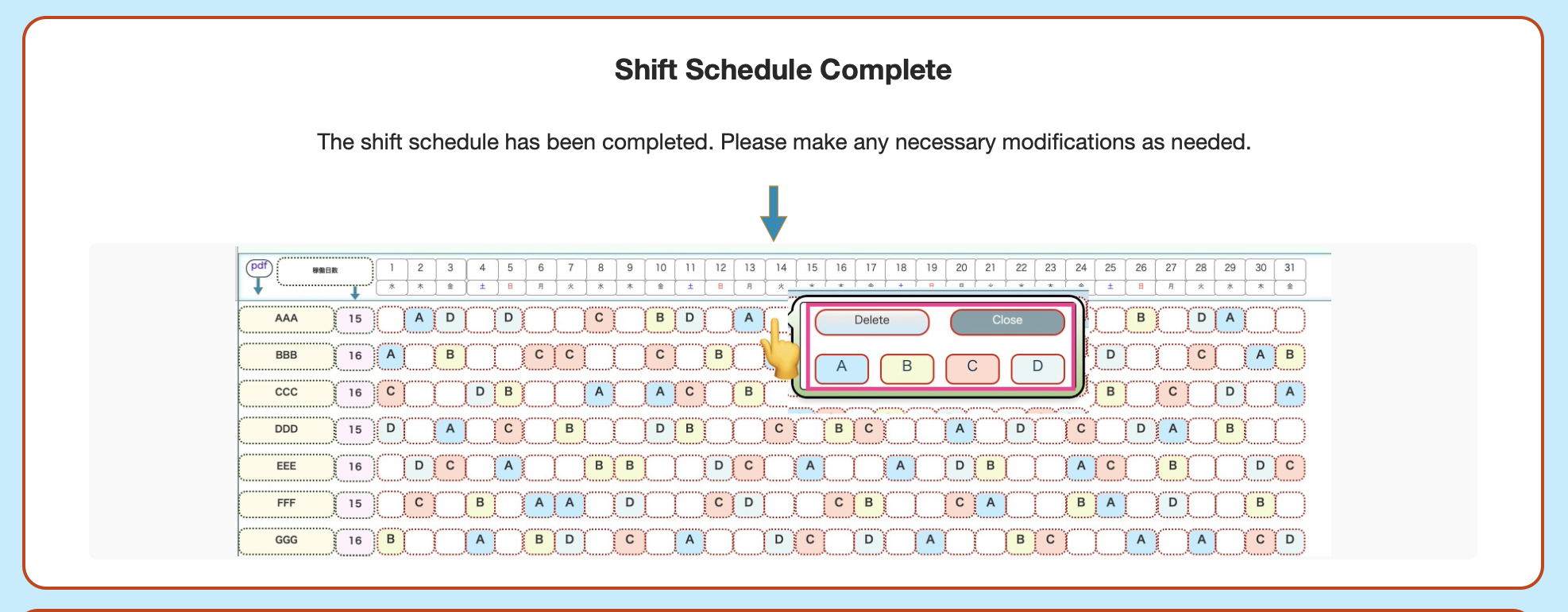
Create a Complete Shift Schedule in Seconds
Tap generate and ShiftMaker produces a full monthly schedule instantly. Review it and tap any cell to make manual adjustments as needed.
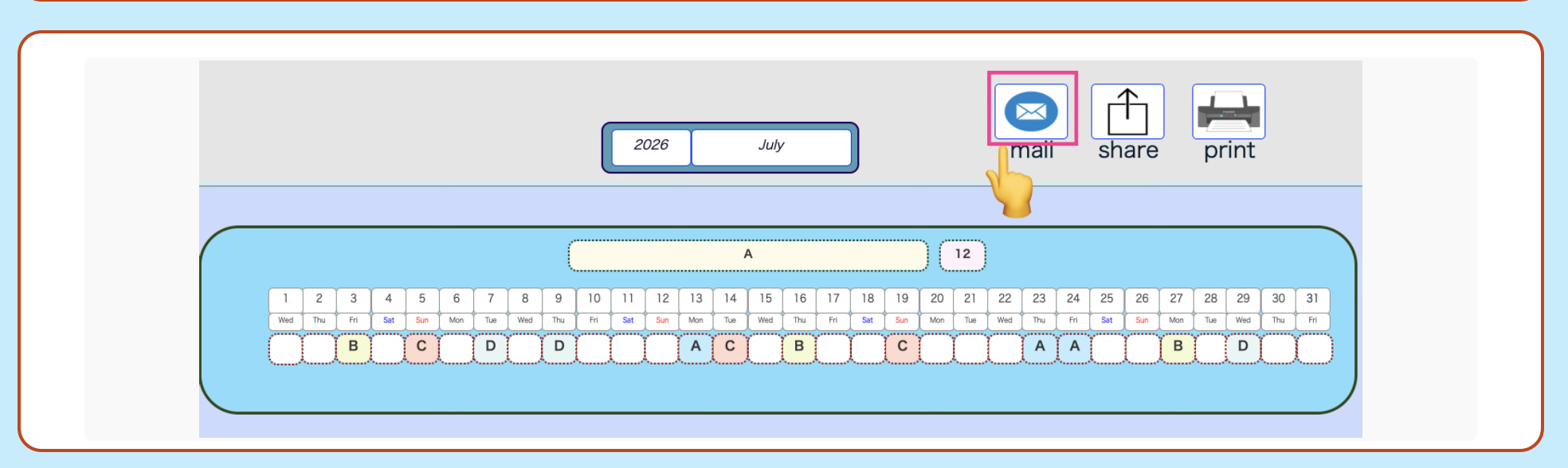
Share the Schedule as a PDF
View individual staff PDFs, send by email, share via the iOS share sheet, or print directly from the app.
Product Specifications
| Free Trial | 30 days (full access to all features) |
|---|---|
| Price | US$99 One-time purchase · No monthly fees |
| Runtime | FileMaker Go (iPad / iPhone) |
| Supported Devices | iPad recommended · iPhone supported |
| Internet Connection | Not required (fully offline) |
| AI Features | None |
| Delivery Format | ZIP file download |
| Primary Use Case | Shift scheduling and roster management for care facilities and group homes |
Try ShiftMaker Free Today.
During the 30-day trial, you have full access to every feature.
Only purchase the full version — US$99 — if you love it. No monthly fees, ever.